Monitor Arms for Ultrawide Monitors: The Weight, Width, and Wobble Checks That Matter
A 49-inch ultrawide can weigh more than two standard 27-inch monitors combined, concentrate that weight on a single VESA plate, and span nearly four feet of desk. A monitor arm rated for “up to 32 inches” was never designed for that job — and the failure mode is not subtle.
This guide walks through the manufacturer-spec checks that decide whether an arm can genuinely hold an ultrawide: panel weight without the stand, the arm’s full weight range (minimums included), VESA pattern, curve handling, and the desk itself. All specifications below come from the manufacturers’ own pages, verified October 22, 2026.
This is an editorial guide based on published manufacturer specifications — not hands-on product testing. Monitor and arm facts below are from the manufacturers’ own pages and manuals, verified October 22, 2026. We have not measured, mounted, or stress-tested any of these products ourselves.
Quick answer
Which monitor arm fits an ultrawide?
The one whose published weight range — minimum and maximum — covers your monitor’s panel weight without its stand, with margin. Start there: a 2020 Samsung Odyssey G9 weighs 31.1 lbs without its stand (per Samsung’s manual), which rules out every mainstream arm rated to 19.8–22 lbs. Then verify the VESA pattern, the arm’s width and tilt limits for your panel’s curve, and that the desk accepts the mount. If any check fails, the stock stand is the safer mount until you find an arm that passes them all.
Compare arm options once your numbers are confirmed
Once you know your panel’s weight without the stand, its VESA pattern, and your desk’s mounting constraints, compare the researched options against those exact numbers rather than against the headline “up to 32 inches” on the box.
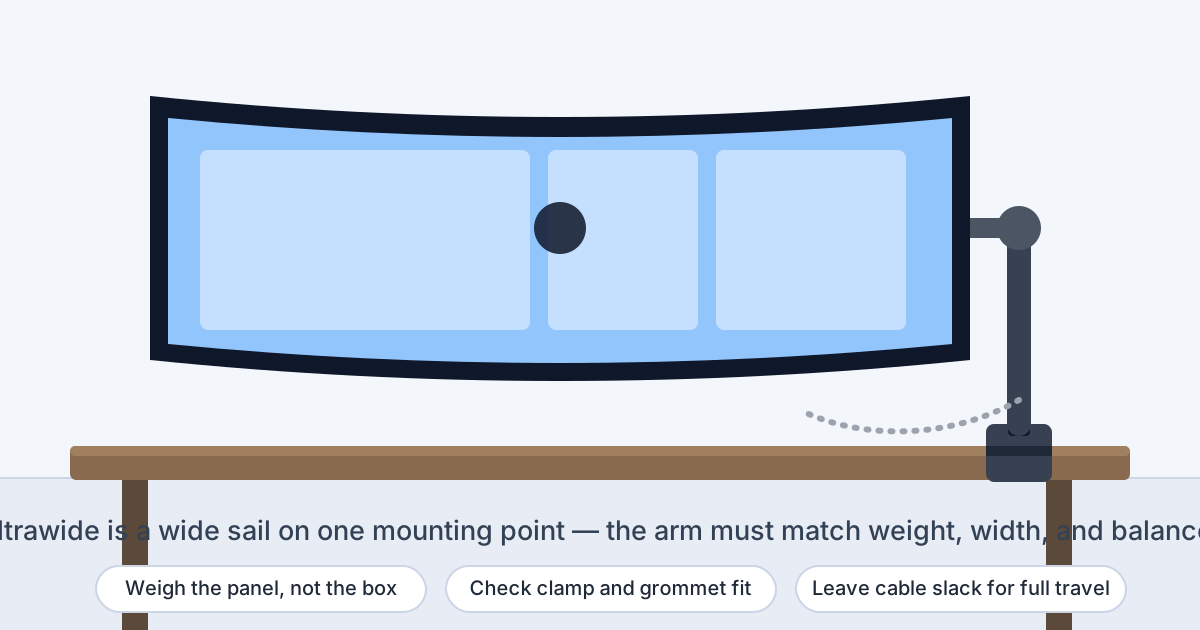
A 49-inch ultrawide is a wide sail on a single mounting point — the arm must match its weight, width, and balance, not just its diagonal size.
Why ultrawides break the normal monitor-arm math
Three things change when the panel gets ultrawide, and all three push in the same direction — toward a heavier-duty arm than the listing suggests:
Concentrated weight. A mainstream arm rated for “up to 32 inches” usually tops out around 19.8–22 lbs. Ultrawide panels routinely sit at or above that: the LG 49WL95C-W is 27.8 lbs without its stand, and the 2020 Samsung Odyssey G9 is 31.1 lbs without its stand (both per the manufacturers’ specs). The stock stand is part of the box weight — the arm carries the panel alone, so the without-stand figure is the one that counts.
Width magnifies imbalance. A 49-inch panel is roughly 47–48 inches wide. When the arm holds that much panel from a single center plate, any mismatch in tilt tension or centering shows up as droop or creep at the edges — the failure the manufacturers’ anti-sag systems are built to fight. This is why HUANUO puts a LockSteady anti-sag system and a visible tension window on the FlowLift Pro.
Curves move the load around. Curved ultrawides are not flat plates, so the same weight sits differently on the VESA mount. Manufacturers acknowledge this directly: HUANUO publishes a lower maximum for curved screens (15.4 lbs) than flat ones (19.8 lbs) on the FlowLift Pro, and Ergotron’s HX manual notes that monitor depth over 2.5 inches may reduce effective capacity.
Read the full weight range, not just the maximum
Tension-balanced arms — gas-spring and constant-force designs — must be matched to the load in both directions, so they publish a range, not a single ceiling. The Ergotron HX is rated for 20 to 42 lbs: hang a monitor under 20 lbs on it and the arm cannot balance down to the load. That produces a genuinely surprising result from real manufacturer specs:
Three ultrawide monitors checked against three monitor arms using manufacturer-published specifications
Ultrawide monitor
Panel weight, no stand
Ergotron HX (20–42 lbs)
HUANUO FlowLift Pro (up to 19.8 lbs)
VIVO STAND-V001 (up to 22 lbs)
Samsung Odyssey G9 (2020), 49″
31.1 lbs (Samsung manual)
Within range — Ergotron’s manual requires the Heavy-Duty Tilt Pivot accessory (98-540-216) for this model
Over the maximum — not suitable
Over the maximum — not suitable
LG 49WL95C-W, 49″
27.8 lbs (LG spec sheet)
Within range, above the 20-lb minimum
Over the maximum — not suitable
Over the maximum — not suitable
Dell U3824DW, 38″
19.4 lbs (Dell manual)
Below the 20-lb minimum — the arm is rated too heavy for this panel
Within the flat-screen range, with thin margin
Within range
The practical rule: leave margin under the maximum (a panel sitting exactly at the rated ceiling has no room for cables or imperfect tension), and respect the minimum on tension-balanced arms. If your panel falls between the arm classes — too heavy for mainstream arms, too light for heavy-duty ones — that is exactly what the monitor-arm comparison is for.
Size ratings vs actual width
The diagonal-inch rating on the box is a rough proxy, not the binding constraint. Ergotron’s own HX brochure says the listed LCD size may be exceeded as long as the screen weight does not exceed the arm’s maximum capacity. But width still matters physically: a 49-inch panel needs swing clearance behind and beside the desk, and the arm’s tilt and pivot hardware must be built for a panel that wide. Compare the published limits side by side:
Published specifications of three monitor arms: Ergotron HX, HUANUO FlowLift Pro, and VIVO STAND-V001
Arm
Screen size rating
Weight rating
VESA
Adjustment
Ergotron HX (45-475)
Up to 49″
20–42 lbs
75×75, 100×100, 200×100, 200×200
11.5″ lift; tilt +5°/−70°; pan 360° arm / 180° pivot; rotation 360°
HUANUO FlowLift Pro
13–32″
4.4–19.8 lbs flat, 4.4–15.4 lbs curved
75×75, 100×100
16.5″ height; 18.7″ extension; tilt +85°/−25°; swivel and rotation ±90°
VIVO STAND-V001
13–32″ standard, up to 38″ ultrawide
Up to 22 lbs
75×75, 100×100
Height to 16″ along pole; tilt ±90°; swivel and rotation 360°
Notice what the table shows: the VIVO is one of the few mainstream arms that explicitly rates an ultrawide size (38″), and the HX is the only one of the three rated for 49-inch panels at all. A 34-inch ultrawide that weighs 15–18 lbs without its stand can fit a mainstream arm comfortably; a 49-inch panel almost never can.
The mounting interface
VESA: 100×100 covers most ultrawides — verify before assuming
Most 34–49-inch ultrawides use the 100×100 mm pattern (VESA MIS-D): Samsung’s Odyssey G9 manual, LG’s 49WL95C-W spec sheet, and Dell’s U3824DW specs all list 100×100. But “most” is not “all” — some large panels use 200×100 (MIS-E), and per Ergotron’s mounting-standards definitions, MIS-F covers 200×200. The check is two-sided:
Confirm the monitor’s pattern on its spec page, not a retailer listing.
Confirm the arm includes that pattern. The HX covers 75×75 through 200×200 natively (plus an adapter kit for larger patterns); the FlowLift Pro and STAND-V001 cover 75×75 and 100×100.
If they differ, budget for the arm maker’s adapter plate (for example, Ergotron’s VESA Bracket Adapter Kit 97-759) rather than improvising with third-party plates — the plate is part of the load path on a panel this heavy.
Curved panels need their own check
What manufacturers actually say about curved ultrawides
Curved-panel guidance is scattered across manuals rather than collected in one place, so it is easy to miss. The published specifics we found:
HUANUO lowers the ceiling for curves. The FlowLift Pro’s compatibility checklist caps curved screens at 15.4 lbs versus 19.8 lbs for flat screens. A curved 34-inch panel that would pass as a flat screen can fail the curved rating.
Ergotron names the G9 explicitly. The HX manual requires the optional Heavy-Duty Tilt Pivot (98-540-216) for certain ultrawides including the Samsung 49-inch Odyssey G9, and rates the HX for curved monitors such as 3000R curvature allowing 8 inches of depth. It also warns that monitor depth over 2.5 inches may diminish effective weight capacity.
Test the tilt, not just the hold. A curved 49-inch panel can be held level by the arm yet still fight the tilt joint when you try to angle it — which is exactly the problem the G9-specific tilt pivot exists to solve. If the manual names your model and an accessory, treat the accessory as required.
Gas spring vs mechanical vs pole: what changes with an ultrawide
The three arms in this guide represent the three common mechanisms, and each behaves differently at ultrawide weights:
Tension-balanced arms (gas spring or Ergotron’s constant-force design) float the monitor and need their tension dialed to the panel weight. That is why they publish a minimum: the HX’s 20-lb floor rules out a 19.4-lb Dell U3824DW. Adjustment is smooth when matched, saggy or bouncy when it is not.
Mechanical-spring arms like HUANUO’s MechaSpring use a coil system HUANUO says is tested for 50,000 cycles and retains 98% of performance. The FlowLift Pro’s PrecisionView window shows the applied tension so you can see the match rather than guessing — useful when a panel sits near the top of the range.
Pole-style arms like the VIVO STAND-V001 hold position with tightened joints along a fixed pole rather than floating on a spring. There is no minimum to miss, which is why the 19.4-lb U3824DW fits it cleanly, but repositioning is a two-hand adjustment rather than a fingertip nudge.
None of this is a quality ranking — it is a matching problem. The right mechanism is the one whose published range contains your panel with margin and whose adjustment style suits how often you move the screen.
Desk mounting: clamp, grommet, and desktop strength
An ultrawide concentrates its whole load — panel plus arm — at one small mounting point, so the desk check is stricter than for a standard monitor. The manufacturers publish the exact envelopes:
Clamp fit: the HX clamp accepts 0.4–2.6-inch desktops; HUANUO recommends wood desks 0.59–3.54 inches thick; the VIVO clamp handles up to 3.25 inches. Measure your desktop and stay inside the arm’s published range.
Grommet fit: the HX grommet mount accepts up to 2.8-inch desktops. A grommet hole spreads the load through the desktop rather than pinching the edge, which helps with heavier panels.
Edge access: the clamp needs a clear rear edge — no modesty panel, frame rail, or cable tray blocking the underside where the clamp bites. Plan the clamp position before ordering.
Desktop material: HUANUO recommends wood desks specifically and warns about irregular edges. Thin, hollow, or glass desktops concentrate an ultrawide’s load badly — that is when a reinforcement plate earns its place, and some desktops simply should not carry a 30-lb panel on one clamp.
Two space checks that are easy to underestimate with an ultrawide:
Swing clearance. A 49-inch panel is nearly four feet wide; rotating it or pushing it back needs that width plus the arm’s joints to clear the wall. Measure the available rear clearance instead of assuming the arm folds flat — deep 1000R-style curves add depth at the center that a flat panel would not.
Cable slack across the full travel. Display and power ports on ultrawides often sit at the panel edges, far from the arm’s cable path, and the arm needs to move through its whole range without tugging them. Route with generous slack and run the arm through its full motion before tightening any cable ties — a pulled DisplayPort on a 49-inch panel is an expensive lesson. The cable-management guide covers routing that survives movement.
Know when to stop
When not to arm-mount an ultrawide
The panel exceeds the arm’s maximum
A 31-lb G9 on a 19.8-lb arm is not a borderline case — it is a drop waiting to happen. Over-limit mounting is the one mistake with no cheap recovery.
The panel is under the arm’s minimum
A tension-balanced arm cannot balance below its floor. A 19.4-lb panel on a 20-lb-minimum arm will drift upward no matter how you set the tension.
The desk cannot take the concentrated load
Glass tops, thin hollow-core slabs, and clamped edges over drawers concentrate a 25–30-lb panel on a weak point. The stock stand spreads the load — keep it until the desk is upgraded.
The quick fit checklist
Weigh the panel without its stand. Use the monitor manufacturer’s spec page or manual — the number on the retail box includes the stand.
Match the arm’s full weight range, not just the maximum. Stay comfortably under the ceiling and above the minimum on tension-balanced arms.
Confirm the VESA pattern on both sides. 100×100 (MIS-D) is typical for ultrawides, but verify the monitor’s spec page and the arm’s pattern list; budget for the maker’s adapter plate if they differ.
Check the arm’s size rating against your panel. The rating may be exceeded on weight alone (per Ergotron), but 49-inch panels still need an arm actually rated for them — most mainstream arms stop at 32″.
Curved panel? Read the curved guidance. Look for a lower curved weight ceiling (HUANUO) or a required tilt accessory (Ergotron’s G9 pivot) in the manual.
Verify the desk. Clamp or grommet within the published thickness range, clear rear edge underneath, and a desktop material the maker approves — add a reinforcement plate for softer or thinner tops.
Measure swing and rear clearance for the full panel width, and route cables with slack through the arm’s entire travel before committing any ties.
If any check fails, pause. A mismatched arm on an ultrawide risks the panel itself. The stock stand is a fine mount while you find an arm that passes every check.
Go here for routing that survives an arm’s full travel — edge-mounted ports on wide panels need more slack than you expect.
Sources and verification
Primary references
Monitor and arm specifications below are from the manufacturers’ own pages and manuals, verified October 22, 2026. No retailer prices, ratings, or review data were used. These are non-affiliate references.